
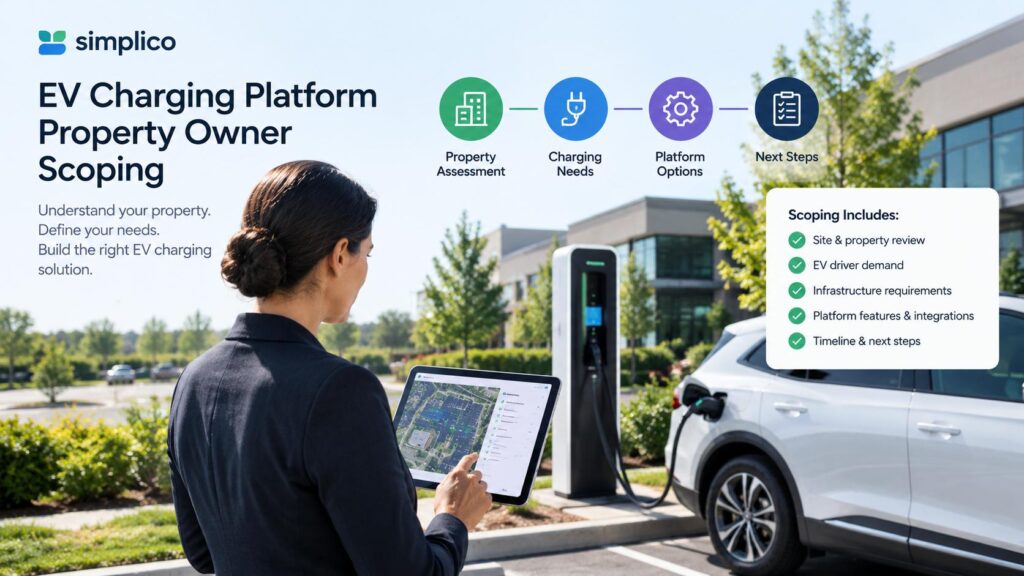
A condo with four chargers is a host problem. A property owner with chargers across dozens of housing estates and several regions is a different problem. Nobody at head office can walk over to a charger, so the system has to do four jobs without staff: let a stranger start a session, get paid for it, stop misuse, and show head office what happened by estate and by region.
We recently scoped exactly this for a large residential property owner. This post walks through how we broke it down, because the shape of the answer applies to any owner with many sites. One boundary first: the owner is not named here, and this is a scoping exercise, not a launch announcement.
What already exists, and what is new work
The most useful thing a scope can do is separate the two. Here is how that split looked for us.
Already running on our platform today:
- An OCPP 1.6 server that chargers connect to over an encrypted WebSocket, with live status and remote start and stop.
- A web admin dashboard: sessions, payments, alerts, remote control, an audit log, and a daily revenue report with VAT breakdown and Excel export.
- A scan-to-charge driver page that opens in a browser, with PromptPay payment for visitors.
- OCPI roaming with partner networks.
Scoped as new work for this owner, not shipped:
- Estates and regions as a first-class grouping in the dashboard, with head-office, regional and estate roles.
- Driver accounts with phone sign-in and a prepaid wallet.
- A native iOS and Android driver app.
- ID verification, push notifications and roaming stations inside the native app, as a second phase.
Keeping this list honest matters. If the new work is described as if it already exists, the first workshop with the customer turns into a correction.
Two driver apps, one account
A web app and a native app are usually presented as a choice. For a property owner they are two entry points to the same system.
The web app is for the visitor and the first-time resident. They scan the QR code on the charger, nothing is installed, and they charge. It is also the fastest thing to update, because a fix reaches everyone at once.
The native app is for the regular user. It adds a nearby-stations map, push messages when charging finishes or the balance runs low, saved vehicles, fingerprint or face unlock, and ID verification. Updates go through app store review, so it changes more slowly.
The design rule that makes this work: both talk to the same backend, so a driver can start on the web and later install the app and find the same account, balance and history. If the two versions each had their own accounts, you would be running two products.
The charging flow is the same in both
The flow is deliberately boring. The driver picks a station, and if the balance is too low the app sends them to top up first. Then charging starts, the app shows live energy and cost, and a receipt lands in history when it stops.
flowchart TD
    A["Scan QR or open app"] --> B["Signed in"]
    B --> C["Pick station and see tariff"]
    C --> D["Balance high enough"]
    D --> E["Start charging"]
    E --> F["Live energy power and cost"]
    F --> G["Stop or full"]
    G --> H["Receipt saved in history"]
    B -->|"No"| I["Phone sign in with one time code"]
    I --> C
    D -->|"No"| J["Top up wallet by PromptPay QR"]
    J --> E
A visitor who never signs in can still charge as a guest and pay for the session by PromptPay at the end. That keeps the charger usable by anyone, which is often a public-service goal for this kind of owner.
The wallet is where the risk is
A prepaid wallet solves the "unpaid charging" problem, and it is also the part of the scope most likely to cause trouble. Three decisions carry most of the weight.
Hold, then charge the actual amount. When a session starts, the system holds a minimum amount in the wallet. When it stops, the real cost is taken and the hold is released. A driver cannot start on an empty balance, and nobody is billed for the hold.
Credit only on confirmation from the payment provider. A top-up is paid through a PromptPay QR. The wallet is credited when the payment provider’s webhook confirms it, never because the app says the payment happened. The app is not a trusted source of money.
One door to the charger. The driver API, the admin dashboard and the roaming service all send commands to the charger through the OCPP server’s control API. Only that server talks to the chargers. One path to audit beats three.
Three levels of trust
Not every driver needs the same limits. We scoped three levels, each with its own wallet cap:
| Level | How a driver gets there | Wallet |
|---|---|---|
| Guest | No account, pays each session by PromptPay | None |
| Phone verified | Enters a one-time code sent by SMS | Low balance cap |
| ID verified | Scans a Thai ID card and passes a selfie check in the native app | Higher cap |
The caps are set with the customer, not fixed by us. ID verification is the second phase and is optional, because it is the slowest piece to get right: it depends on choosing a verification provider and on app store review of apps that capture ID documents.
Two phases, each one able to go live alone
We split delivery so the first phase is useful by itself. Phase one covers the production environment, the dashboard changes, accounts and wallet, the web app and the native app, plus charger commissioning, acceptance testing and staff training. Phase two adds ID verification, roaming stations and push in the native app. The two phases are accepted and invoiced separately.
The real constraint on the schedule is hardware. Commissioning can only start when chargers and site network access are delivered, so we agree a readiness date at kickoff and test with simulated chargers from early in the build.
The risks we put on the table in advance
- Wallet rules. A stored-value wallet raises legal questions in Thailand. We recommend a legal review in the first weeks, and we keep wallet limits configurable so a late rule change does not mean a rebuild.
- Personal data. Drivers’ phone numbers and ID images fall under the PDPA. The scope includes consent screens, encryption, retention limits, access logging and deletion on request.
- Hosting policy. Government and large-enterprise customers often have hosting or security requirements. We run the system as containers, so the same build can run on a cloud we manage or on the customer’s own data centre.
- App store review. Wallet and ID-capture apps get closer review, so each release has buffer time, and the web app stays available meanwhile.
- Pricing past the first batch. The base price covers a fixed number of chargers. Beyond that, a per-charger onboarding fee and a per-charger support fee that falls as the network grows is fairer than a re-quote at every stage.
Eight questions to answer before anyone writes a line of code
If you own or manage many sites, these decide the scope more than any feature list:
- How many estates and chargers in each phase, which brand and model, and who installs them?
- Are chargers for residents only or open to the public, and do residents get a different tariff?
- Who sets the price, is there a parking or idle fee, and how is revenue shared if a partner operates a site?
- Is there a required cloud or data centre, and which security standards apply?
- Which staff roles need dashboard access, and what should each see?
- What is the balance cap for each verification level, and who engages legal counsel?
- Which ID verification provider will be used?
- Does procurement need a Thai-language document or a specific format?
If you want to work through these for your own portfolio, send your number of sites, number of chargers and who owns the electricity bill to hello@simplico.net with the subject "Property EV scoping". We’ll reply with a scoped outline within 48 hours.
FAQ
Is the prepaid wallet already part of your platform?
No. The scan-to-charge page with PromptPay payment, the OCPP server, the dashboard and OCPI roaming are running today. The wallet, driver accounts, native app and ID verification described here are scoped new work.
Do drivers have to install an app?
No. A driver can scan the QR code at the charger and charge from a browser, as a guest or with a phone-verified account. The native app is optional and adds a map, push messages and ID verification.
Can a driver start on the web and move to the native app?
Yes, by design. Both use the same accounts, wallet and history, so the balance follows the driver.
What stops a driver from charging on an empty wallet?
A minimum amount is held when charging starts. If the balance cannot cover it, the app sends the driver to top up first.
Can the owner see revenue by estate and region?
That grouping is part of the scoped dashboard work. The existing dashboard already provides daily revenue with a VAT breakdown and Excel export.
Which chargers work with the platform?
Any charger that supports OCPP 1.6J over WebSocket. The EV CSMS page lists brands we have run sessions against.
Who is behind this?
Simplico, a software engineering studio based in Thailand. We build and operate EV charging platforms for operators across Thailand and Southeast Asia.
Related Posts
- The Site Host Problem: Giving a Condo, Hotel or Restaurant Its Own Charger Dashboard Without Another Account to Manage
- OCPI Explained: What CPOs and eMSPs Actually Need to Build for EV Roaming
- The EV Driver App You Don’t Have to Build: QR-Code Charging with OCPP ID Tags
- From Zero to OCPP: Launching a White-Label EV Charging Platform
Latest Posts
- Why AI Agents Stall in Southeast Asian Enterprises, and the Trust Layer That Gets Them Live October 15, 2026
- Which Product Should a Creator Promote? An Idea We Want to Test October 14, 2026
- A Local LLM in a Factory, With Nothing Leaving the Building October 13, 2026
- Japan’s Active Cyber Defense Law Is Live: What Suppliers to Critical-Infrastructure Operators Should Have Ready in the First 30 Days October 13, 2026
- Find a Subaru Service Shop in Thailand: A Small Tool That Shows Where Each Detail Came From October 12, 2026
- Car Tax, พ.ร.บ., ID Card, Passport: An Idea for One App That Remembers Every Renewal, and Why We Want Your Feedback First October 5, 2026